



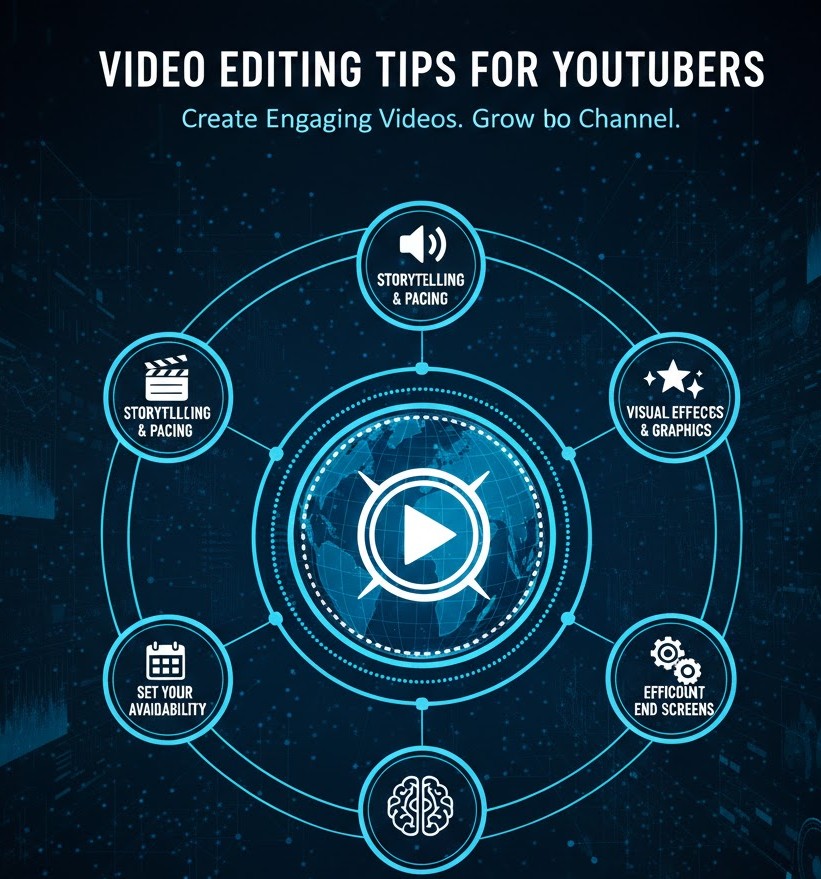
Video Editing Tips for YouTubers
Introduction
You’ve probably experienced it: you click on a YouTube video with a great title, but within seconds you lose interest. The audio feels off. The pacing drags. The visuals don’t match the story. You click away. Now flip the scenario. Think of a video that held your attention from start to finish, even if the creator wasn’t famous. The difference often isn’t the camera or the equipment. It’s the editing.
For students and beginners, video editing can feel overwhelming. Timelines, cuts, color, audio levels, effects it’s easy to assume that only professionals can make content look polished. The truth is more encouraging. Today, editing is a learnable skill, and with the right habits, you can dramatically improve your videos without expensive tools.
This guide will walk you through the essentials of video editing for YouTubers in a clear, practical way. You’ll learn how editing really works beyond flashy effects, how to build a simple workflow, what separates average videos from engaging ones, and which skills you should start practicing today to grow as a creator.
What Video Editing Really Means for YouTubers
Most beginners think video editing is about adding transitions, filters, and cool effects. That’s only a small part of the picture. In reality, editing is about communication.
At its core, video editing answers three important questions:
-
What is the story I’m telling?
-
What should the viewer feel at each moment?
-
How can I keep attention from the first second to the last?
Good editing shapes raw footage into a clear message. It removes distractions. It improves pacing. It emphasizes emotion. When done well, viewers don’t “notice” the editing; they simply feel that the video flows naturally.
For YouTubers, this matters even more because attention is your currency. People decide within the first 5–10 seconds whether to keep watching. Your editing choices—cut timing, music, visuals, structure—directly influence whether someone stays or leaves.
Think of editing as storytelling with scissors. Every cut is a decision. Every pause, every zoom, every music change is part of the experience you’re creating.
How Viewers Experience Your Edits (In Simple Terms)
Understanding how people watch videos will instantly make you a better editor.
Most viewers:
-
Have short attention spans.
-
Watch on phones with small screens.
-
Multitask while watching.
-
Decide quickly whether content is “worth it.”
This means your editing must serve clarity and engagement. Long pauses, unnecessary filler, and slow intros can quietly kill your video’s performance, even if the content itself is good.
You can think of your edit as a guided journey:
-
The opening should hook interest.
-
The middle should keep momentum.
-
The ending should feel satisfying.
You’re not just cutting clips. You’re guiding attention.
When you watch strong YouTubers, notice how often the camera angle changes, how rarely there’s dead silence, how visuals support the spoken message. These aren’t accidents. They’re deliberate editing choices designed to keep the brain engaged.
The Key Components of Strong Video Editing
Story and Structure Come First
Before you even open your editing software, ask yourself: what is this video really about?
Every good YouTube video, even casual vlogs, has a basic structure:
-
A hook that makes people want to keep watching.
-
A middle that delivers value or entertainment.
-
A conclusion that feels complete.
Editing is where this structure becomes visible. You might cut out a long intro. You might rearrange clips to make the story clearer. You might remove tangents that don’t serve the main idea.
A practical beginner habit: after recording, watch all your footage once without editing. Take notes on:
-
The strongest moments.
-
The boring sections.
-
The parts that feel confusing.
Then edit around the best moments. Don’t feel emotionally attached to every clip. Strong editors are willing to cut even footage they worked hard to record.
Pacing: The Difference Between “Okay” and “Engaging”
Pacing is how fast your video feels. It’s one of the most powerful but underrated editing skills.
Slow pacing often looks like:
-
Long pauses between sentences.
-
Repeating the same point multiple times.
-
Shots that linger too long without purpose.
Good pacing feels natural but tight. The video moves forward without feeling rushed.
You can improve pacing by:
-
Cutting out filler words like “um,” “uh,” and long hesitations.
-
Removing repeated ideas.
-
Using jump cuts to tighten talking-head sections.
-
Switching visuals when attention might drop.
A great exercise is to take one of your older videos and edit it again, focusing only on making it shorter while keeping the same message. You’ll quickly see how much can be trimmed without losing meaning.
Audio Quality Is More Important Than Visual Effects
Many beginners obsess over transitions and filters while ignoring audio. That’s a mistake.
Viewers will tolerate average visuals, but they rarely tolerate bad sound. Echo, background noise, inconsistent volume, and unclear speech make people leave quickly.
Strong editing habits for audio include:
-
Cutting out background noise when possible.
-
Keeping volume levels consistent throughout the video.
-
Removing harsh pops and distracting sounds.
-
Adding soft background music when it supports the mood, not when it distracts.
Even simple adjustments like normalizing volume and trimming noisy sections can dramatically improve perceived quality. If your video sounds clean, it already feels more professional.
Visual Clarity and Simplicity
You don’t need fancy effects to make a video look good. In fact, overusing effects often makes videos feel amateurish.
Good visual editing focuses on clarity:
-
Crop out distractions in the frame.
-
Use simple cuts instead of constant transitions.
-
Add text only when it truly helps understanding.
-
Use zooms or highlights to direct attention.
Think of your visuals as support for your message. If you’re explaining something, show it. If you’re telling a story, let the visuals reinforce emotion. Every visual element should earn its place.
Building a Simple Editing Workflow
One reason beginners struggle with editing is that they don’t have a repeatable process. They open the software and feel lost.
A basic workflow might look like this:
First, organize your files. Create folders for raw footage, music, voiceovers, and exports. This small habit saves huge time later.
Second, create a rough cut. Place clips in order and focus only on structure. Don’t worry about perfection yet.
Third, tighten the edit. Trim pauses, remove filler, improve pacing, and clean up audio.
Fourth, enhance the experience. Add music, text, simple effects, and visuals that support your message.
Finally, review the entire video as a viewer. Watch it without stopping. Notice where your attention drops. That’s where you need to improve.
Having a repeatable process makes editing less overwhelming and more creative.
Real-World Examples: Why Editing Makes or Breaks Channels
Consider two beginner YouTubers with similar content.
The first uploads raw footage with minimal cuts. The intro is long. The message is scattered. The audio volume jumps up and down. The information might be good, but viewers struggle to stay engaged.
The second spends time editing thoughtfully. The intro gets straight to the point. The pacing feels smooth. The audio is clear. Visuals support what’s being said.
Over time, the second channel almost always grows faster. Not because the creator is more talented, but because the viewing experience feels better.
You see this in educational channels, vlogs, gaming content, and even commentary videos. Editing quality shapes how seriously viewers take you.
Common Video Editing Myths Beginners Believe
“I need expensive software to edit well”
You don’t. Many successful creators started with basic tools. What matters more is how you use what you have. Strong storytelling, clean cuts, and good pacing beat fancy plugins every time.
“More effects make videos more professional”
Often the opposite is true. Overusing transitions, filters, and animations can feel distracting. Simplicity usually looks more polished.
“Editing should be invisible”
While it’s true that editing shouldn’t distract, modern YouTube editing is often dynamic. Jump cuts, zooms, and on-screen text are normal. The key is using them intentionally, not randomly.
“If the content is good, editing doesn’t matter”
Good content deserves good editing. Editing helps your message land more clearly. Without it, even valuable ideas can get lost.
Practical Video Editing Skills Students Should Start Learning Today
If you’re just starting out, focus on mastering fundamentals instead of trying to learn everything at once.
Start with these core skills:
Learn clean cutting. Understand how to trim clips precisely and remove unnecessary parts.
Practice pacing. Edit one video multiple times, experimenting with shorter and tighter versions.
Improve audio awareness. Learn how to balance volume and remove distracting sounds.
Study storytelling. Watch your favorite creators and ask why their videos hold your attention.
Use text with purpose. Learn when on-screen text helps clarity and when it’s unnecessary.
Build consistency. Develop a basic style for your videos so your content feels recognizable.
These skills compound over time. After 20 or 30 edited videos, you’ll look back and see massive improvement.
How Video Editing Opportunities Are Evolving
Video is no longer limited to YouTube. Editing skills are in demand across digital platforms.
Today, video editors work on:
-
YouTube channels for creators and brands.
-
Short-form content for platforms like Instagram and TikTok.
-
Online courses and educational platforms.
-
Marketing videos for businesses.
-
Podcasts with video formats.
-
Freelance projects for international clients.
For students, this means video editing is not just a hobby. It’s a real, valuable skill that can lead to income opportunities, freelance careers, or even full-time roles.
What’s changing is the style. Modern editing often favors authenticity over perfection. Viewers like content that feels real, but still polished. Editors who understand attention, pacing, and storytelling are increasingly valuable.
If you start learning now and build a portfolio of your own content, you’re not just growing a channel. You’re building a skill set that can open doors.
FAQs About Video Editing for YouTubers
How long does it take to learn video editing?
You can learn the basics in a few weeks with consistent practice. Mastery takes longer, but improvement happens quickly if you edit regularly and review your work critically.
What is the most important part of video editing?
Pacing and clarity. If your video flows smoothly and your message is easy to follow, you’re already ahead of most beginners.
Should I edit my own videos or hire someone?
As a beginner, editing your own videos is extremely valuable. It teaches you storytelling, improves your content, and saves money. You can consider outsourcing later as your channel grows.
How can I make my videos more engaging without fancy effects?
Focus on strong hooks, clear structure, good pacing, and clean audio. These fundamentals matter more than visual tricks.
Is video editing a good career for students?
Yes. With the growth of online content, skilled editors are in demand across many industries. Building your skills early can lead to freelance work and long-term opportunities.
Conclusion
Video editing is not about perfection. It’s about intention. Every cut, every sound choice, every visual adjustment is a way of respecting your viewer’s time and attention.
For students and beginners, the most powerful step you can take is simply to start editing consistently. Your first videos won’t be perfect, and that’s normal. What matters is developing awareness: noticing pacing, listening to your audio, watching your work like a viewer.
Over time, editing becomes less technical and more creative. You stop thinking only about buttons and start thinking about impact. You begin to see how small changes can transform a video from forgettable to engaging.
If you commit to learning this skill now, you’re not just improving your YouTube content. You’re building a long-term ability that can support your creativity, your confidence, and even your career in the digital world.
Tags :
No Tags

0 Comments