



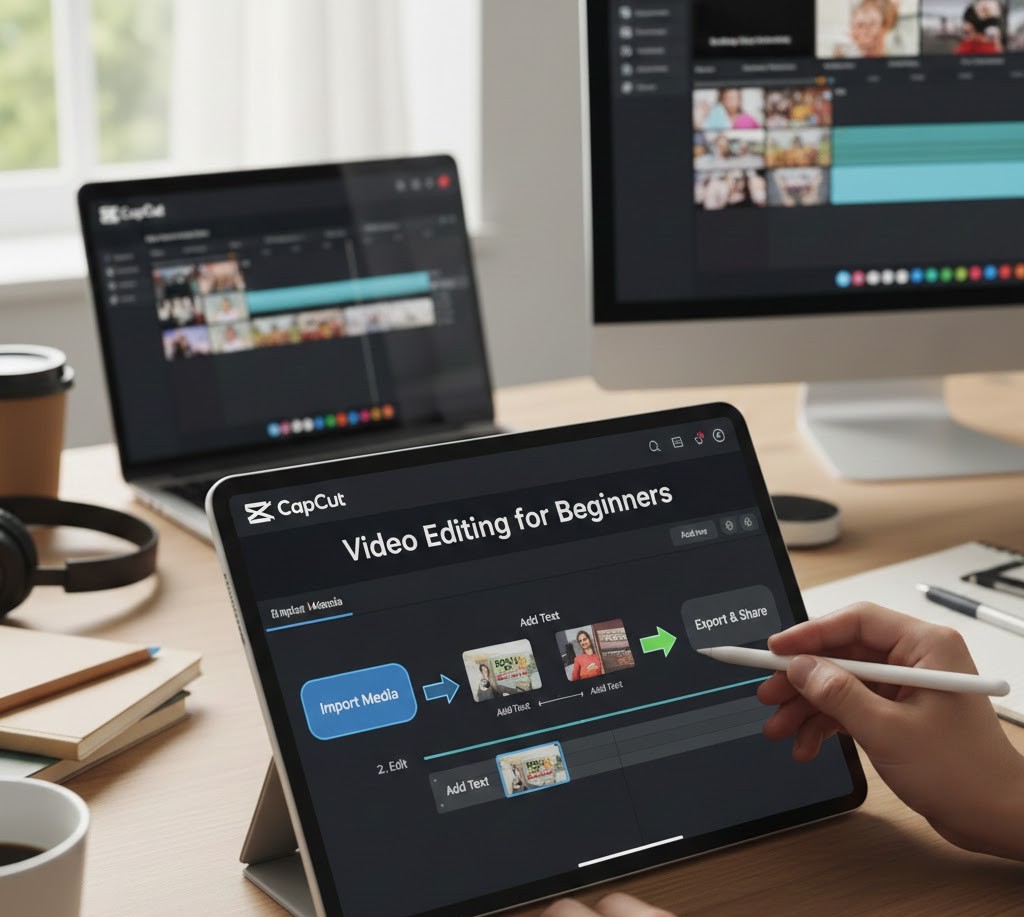
CapCut Editing for Beginners
Introduction
Scroll through TikTok, Instagram Reels, or YouTube Shorts for five minutes and you’ll notice something interesting: the videos that grab your attention aren’t always made with expensive cameras or studio setups. Many are edited on a phone, often with one simple app CapCut.
For students and beginners, this is powerful. It means you don’t need a high-end laptop, a production budget, or years of experience to create videos that look polished and engaging. You just need the right tool and the right understanding of how to use it. That’s where CapCut comes in.
CapCut has quickly become one of the most popular video editing apps in the world because it makes professional-style editing accessible to everyone. Whether you want to create content for social media, edit school projects, start a YouTube channel, or build a freelance skill, learning CapCut is a practical step forward.
In this guide, you’ll learn what CapCut really offers, how video editing works at a fundamental level, how to use CapCut’s key features with confidence, and how this skill can open real opportunities for your future.
What CapCut Really Is (Beyond “Just an Editing App”)
CapCut is often described as a free video editing app, but that description doesn’t fully capture its value. At its core, CapCut is a creative toolkit. It allows you to control how a story is told visually through timing, sound, emotion, and pacing.
When you edit a video, you’re not just trimming clips. You’re making decisions that influence how people feel while watching. A slow fade can create emotion. A fast cut can build excitement. A text overlay can clarify a message. CapCut puts all of these storytelling tools into the hands of beginners.
What makes CapCut especially beginner-friendly is its balance between simplicity and power. The interface is easy enough that you can start editing within minutes, but the feature set is deep enough that you can grow with it over time. Many content creators who started with CapCut still use it professionally today.
For students, this means you’re not wasting time learning a “toy” app. You’re learning a real-world skill on a platform that’s relevant in today’s content-driven economy.
How Video Editing Works (In Simple Terms)
Before diving into tools and buttons, it helps to understand what video editing actually involves. This makes everything inside CapCut feel more logical.
Think of video editing as three basic elements working together: visuals, audio, and timing.
Visuals are your video clips, photos, colors, filters, and effects. Audio includes voiceovers, background music, sound effects, and silence. Timing is how long each clip stays on screen, when transitions happen, and how the rhythm of the video feels.
CapCut gives you control over all three through its timeline. The timeline is the horizontal workspace where your clips are arranged. Every professional editing tool from Hollywood software to mobile apps works on this same basic principle. When you learn to use a timeline in CapCut, you’re learning a transferable editing skill.
Understanding this foundation makes you a smarter editor. Instead of randomly applying effects, you start making intentional choices. You begin to ask, “Does this cut improve the story?” or “Does this sound support the mood?” That mindset is what separates casual users from confident creators.
Getting Started with CapCut: The Basics That Matter
When you open CapCut for the first time, the interface can look busy. But most of your work will happen in a few key areas.
The project screen is where you import your videos and photos. From there, everything moves into the timeline. This is where you trim clips, rearrange scenes, and build the flow of your video. Above the timeline is the preview window, which shows you exactly what your audience will see.
The real magic happens in the editing tools: trim, split, transitions, text, audio, filters, and effects. Instead of trying to learn everything at once, beginners should focus on mastering the fundamentals first. Trimming clips cleanly, cutting out mistakes, and arranging scenes in the right order will instantly improve your videos more than any fancy effect.
Once you’re comfortable with those basics, CapCut’s more advanced features start to feel exciting instead of overwhelming.
Essential CapCut Features Every Beginner Should Learn
Trimming and Splitting Clips
This is the foundation of all editing. Trimming removes unnecessary parts from the beginning or end of a clip. Splitting allows you to cut one clip into two pieces so you can delete or rearrange sections in the middle.
In real-world use, this is how you remove pauses from talking videos, cut out mistakes, and tighten your storytelling. A well-trimmed video feels confident and professional, even without effects.
Transitions That Feel Natural
Transitions control how one clip moves into the next. CapCut offers many flashy options, but beginners should use them carefully. Most professional editors rely on simple cuts or subtle transitions like fades and dissolves.
The goal of a transition is not to show off an effect. It’s to make the video flow smoothly. If the viewer notices the transition more than the story, it’s usually too much.
Text and Captions
Text is one of CapCut’s strongest features, especially for social media content. You can add titles, subtitles, captions, and call-to-action text with ease.
Captions are particularly important today because many people watch videos without sound. Clear, readable text keeps your audience engaged and makes your content more accessible. CapCut also offers auto-caption features, which can save time and improve consistency.
Audio: The Most Underrated Element
Beginners often focus heavily on visuals and ignore audio. This is a mistake. Bad audio can ruin a great video faster than poor visuals.
CapCut allows you to adjust volume, reduce noise, add background music, and insert sound effects. Learning to balance your voice with music, cut out background noise, and use silence intentionally will instantly elevate your work.
Filters, Effects, and Color Adjustments
Filters and effects can enhance a video, but they should support your message, not distract from it. CapCut’s color adjustment tools allow you to tweak brightness, contrast, and saturation, which helps your videos look more consistent and polished.
Instead of relying on heavy effects, beginners should experiment with subtle enhancements. A slight improvement in lighting and color often looks more professional than dramatic visual filters.
How CapCut Fits into the Bigger Content Creation Ecosystem
CapCut is not just a standalone skill. It’s part of a larger digital ecosystem that includes content creation, social media, branding, and online communication.
If you’re a student, you might use CapCut for class presentations, video assignments, or personal projects. If you’re interested in social media, it becomes a tool for building an audience. If you’re exploring freelancing, it can become a service you offer to clients who need edited videos.
Many platforms are now video-first. TikTok, Instagram, YouTube, and even LinkedIn increasingly prioritize video content. That means video editing is no longer a niche skill. It’s becoming a core communication skill, similar to writing or public speaking.
Learning CapCut is often the gateway into understanding how content performs online. You start noticing pacing, hooks, viewer retention, and storytelling structure. These are valuable insights whether you become a creator, marketer, teacher, or entrepreneur.
Real-World Examples of Beginners Using CapCut Successfully
Consider a student who starts using CapCut to edit short motivational videos for Instagram. At first, the videos are simple: clips, music, and text. Over time, they learn better timing, stronger hooks, and clearer messaging. Their audience grows, and eventually they’re offered paid collaborations.
Or think about a beginner freelancer who offers basic video editing services on platforms like Fiverr or Upwork. They start by editing simple talking-head videos using CapCut. As they gain experience, they add more services: captions, social media formatting, thumbnails, and branding. What started as a beginner skill becomes a steady income stream.
These are not rare success stories. They happen every day because the barrier to entry is low and the demand for video content is high. CapCut makes it realistic for beginners to start small and grow quickly.
Common Myths Beginners Believe About Video Editing
One of the most harmful myths is that you need expensive equipment to create good videos. While high-end gear can help, clarity of message, strong editing, and good audio matter far more. A thoughtfully edited video from a phone often outperforms a poorly edited video from a professional camera.
Another common myth is that more effects mean better editing. In reality, overusing effects often makes videos feel amateur. Professional editing is usually subtle. It supports the story instead of competing with it.
Some beginners also believe they need to learn complex desktop software before they can take editing seriously. The truth is that skills learned in CapCut timing, pacing, storytelling, audio balance are the same skills used in advanced software. CapCut is not a shortcut. It’s a legitimate learning platform.
Practical CapCut Skills You Should Start Learning Today
If you’re just starting out, focus on building skills that give you immediate improvement and long-term value.
Learn to identify the best moments in your footage. Strong editing is about choosing what to keep as much as what to remove. Practice cutting out filler words, awkward pauses, and unnecessary scenes.
Develop a sense of pacing. Watch your videos and ask yourself where you get bored. That’s where trimming is needed. Pay attention to how long each shot stays on screen.
Study captions and hooks. The first few seconds of a video matter more than ever. Use CapCut’s text tools to create clear, engaging openings that make people want to keep watching.
Experiment with audio intentionally. Try different music styles, adjust volume levels, and notice how sound changes the emotional tone of a video. This trains your creative instincts.
Most importantly, practice consistently. Editing is not something you master by watching tutorials alone. You learn by doing, making mistakes, and improving with each project.
How Opportunities in Video Editing Are Evolving
Video is no longer just entertainment. It’s communication, marketing, education, and branding all in one. Businesses need video content. Teachers use video lessons. Personal brands rely on video storytelling. Even traditional industries now expect some level of visual communication.
This creates opportunities for people who can edit well. Some beginners turn CapCut into a side skill for school projects. Others build it into a freelance career. Some use it to support their main career by creating content that showcases their expertise.
The most interesting shift is that authenticity now matters more than perfection. Audiences prefer relatable, clear, and honest videos over overly polished, corporate-style content. CapCut is perfectly positioned for this era because it supports fast, authentic, high-quality creation without feeling overly complex.
As platforms continue to prioritize video, the demand for editors even beginner-level editors is likely to keep growing.
FAQs About CapCut Editing for Beginners
Is CapCut really good enough for professional-looking videos?
Yes. Many professional creators use CapCut daily. While advanced desktop software offers more control, CapCut provides more than enough tools to create polished, high-quality content.
How long does it take to learn CapCut?
You can learn the basics in a few hours. Building real confidence usually takes a few weeks of regular practice. Improvement is noticeable with every project.
Can I use CapCut for YouTube videos?
Absolutely. CapCut supports formats and tools suitable for YouTube, including long-form videos, thumbnails, text overlays, and audio editing.
Do I need to pay to use CapCut effectively?
The free version is powerful enough for most beginners. Paid features can enhance your workflow, but they are not necessary to get started or to create quality content.
Is learning CapCut useful beyond social media?
Yes. Video editing skills are useful in education, business, marketing, presentations, and many creative fields. CapCut is a practical entry point into a much larger skill set.
Conclusion
Learning CapCut is about more than learning an app. It’s about learning how to communicate visually in a world that increasingly depends on video. For students and beginners, it offers a rare combination of accessibility, power, and relevance.
You don’t need to be perfect to start. You just need to begin. Every video you edit teaches you something new about timing, storytelling, and audience attention. Over time, those small lessons compound into real creative confidence.
CapCut gives you the tools, but your growth comes from curiosity, consistency, and willingness to experiment. Whether you want to create content for fun, build an online presence, or develop a valuable digital skill, mastering CapCut is a smart investment in your future.
Start with simple edits. Pay attention to what feels engaging. Keep practicing. You’ll be surprised how quickly your work begins to look and feel professional.
Tags :
No Tags

0 Comments