



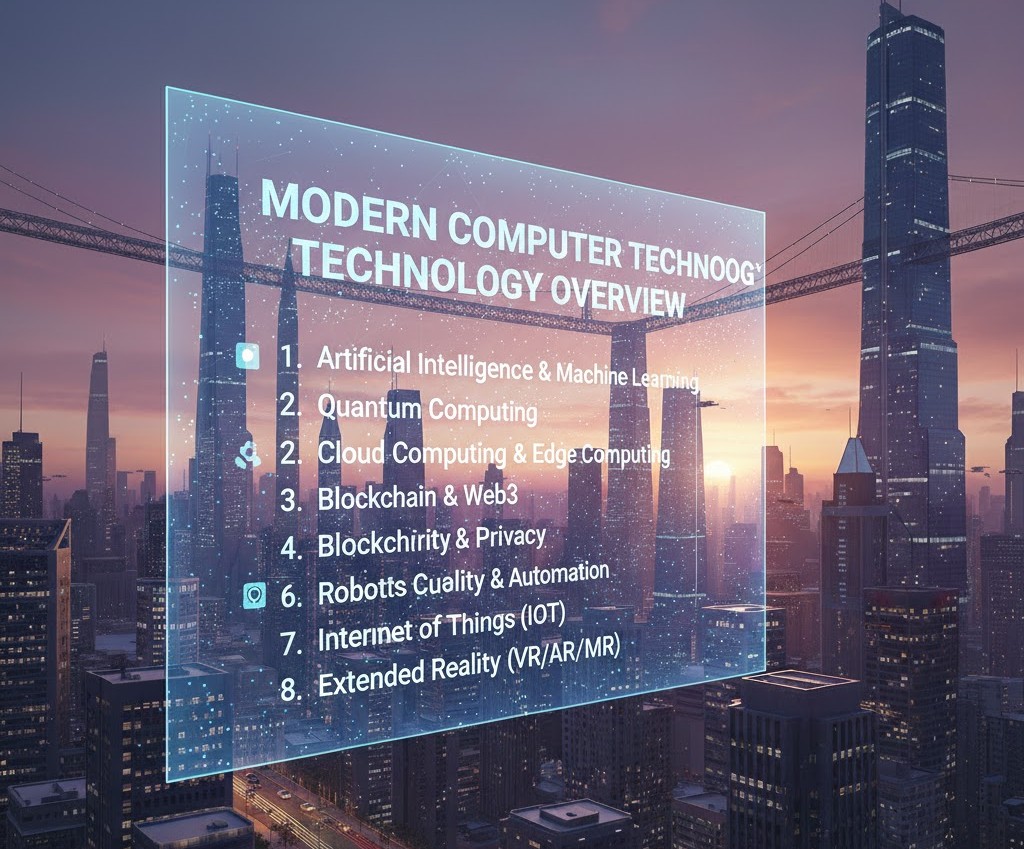
Modern Computer Technology Overview
Introduction
If you pause for a moment and look around, almost everything in your day connects to a computer system. Your smartphone alarm, online classes, digital payments, streaming platforms, even traffic signals modern computer technology quietly powers them all. Yet for many students, “computer technology” still feels like a vague term that simply means using a laptop or browsing the internet.
The truth is much bigger and far more exciting.
Modern computer technology is the foundation of today’s economy, education system, healthcare, communication, and business innovation. Whether you plan to become a software developer, digital marketer, entrepreneur, or simply a skilled professional in any field, understanding how computer technology works gives you a serious advantage.
In this guide, we’ll break down modern computer technology in clear, simple language. You’ll learn how today’s systems are built, how they connect, what technologies are shaping the future, and what practical skills you should start building right now.
Let’s start with the basics.
What Is Modern Computer Technology?
At its core, modern computer technology refers to the hardware, software, networks, and systems that process, store, and transmit information digitally.
But that definition doesn’t tell the whole story.
Modern computer technology is not just about machines it’s about how information flows, how problems are solved using logic, and how digital systems interact with the real world.
Today’s computer technology includes:
-
Personal computers and smartphones
-
Cloud computing systems
-
Artificial intelligence and machine learning
-
Internet infrastructure
-
Cybersecurity systems
-
Software applications and mobile apps
-
Data analytics platforms
In short, it’s the digital backbone of the modern world.
The Building Blocks of Computer Technology
Before diving into advanced concepts, students should understand the four foundational components:
1. Hardware
Hardware is the physical part of a computer system. This includes:
-
CPU (Central Processing Unit)
-
RAM (Memory)
-
Hard drives or SSDs
-
Motherboard
-
Input devices (keyboard, mouse)
-
Output devices (monitor, printer)
The CPU acts as the “brain,” processing instructions. RAM temporarily stores active data. Storage keeps long-term information.
Modern advancements in hardware have made devices smaller, faster, and more energy-efficient. For example, today’s smartphones are more powerful than computers used in space missions decades ago.
2. Software
Software is what tells hardware what to do. It includes:
-
Operating systems (Windows, macOS, Linux, Android)
-
Applications (Microsoft Office, Chrome, Photoshop)
-
Programming languages (Python, Java, C++)
Without software, hardware is just a collection of electronic parts. Software transforms machines into useful tools.
3. Networking
Networking connects devices so they can share information. The internet is the largest network in the world.
Modern networking includes:
-
Wi-Fi systems
-
Cloud servers
-
Fiber optic cables
-
5G mobile networks
Because of networking, students can attend online classes, businesses can operate remotely, and data can move across continents in seconds.
4. Data
Data is the fuel of modern technology. Every click, search, payment, and message generates data.
Companies use data to:
-
Understand customer behavior
-
Improve products
-
Predict trends
-
Automate decisions
The ability to collect, store, and analyze large amounts of data has transformed industries.
How Modern Computer Systems Actually Work
Many beginners think computers are magical machines. In reality, they operate on simple logic.
At a basic level, computers follow this cycle:
-
Input – User enters information
-
Processing – CPU analyzes instructions
-
Storage – Data is saved
-
Output – Results are displayed
For example, when you search something online:
-
You type a query (input).
-
Search engines process your request using algorithms.
-
Data is retrieved from servers.
-
Results appear on your screen (output).
Behind this simple experience are powerful servers, databases, and networking systems working together.
Cloud Computing: The Invisible Engine of the Internet
One of the biggest shifts in modern computer technology is cloud computing.
Instead of storing data on one personal computer, companies now store information on remote servers accessed through the internet.
Examples include:
-
Google Drive
-
Dropbox
-
Amazon Web Services (AWS)
-
Microsoft Azure
Cloud computing allows:
-
Remote work
-
Online collaboration
-
Scalable business systems
-
Secure backups
For students, understanding the cloud is essential because most modern applications rely on it.
Artificial Intelligence and Machine Learning
Artificial Intelligence (AI) is no longer science fiction. It powers:
-
Voice assistants (Siri, Alexa)
-
Recommendation systems (Netflix, YouTube)
-
Chatbots
-
Image recognition tools
Machine Learning is a branch of AI where systems learn from data instead of being manually programmed for every situation.
For example:
-
Email spam filters improve over time.
-
E-commerce platforms suggest products based on browsing history.
-
Fraud detection systems identify suspicious activity.
AI represents one of the fastest-growing areas in computer technology—and it’s creating massive career opportunities.
Cybersecurity: Protecting the Digital World
As technology grows, so do digital threats.
Cybersecurity protects systems from:
-
Hackers
-
Malware
-
Data breaches
-
Identity theft
Modern cybersecurity includes:
-
Encryption
-
Firewalls
-
Multi-factor authentication
-
Ethical hacking
Students entering technology fields must understand that security is not optional—it’s a core requirement of modern systems.
The Internet of Things (IoT)
The Internet of Things connects everyday devices to the internet.
Examples include:
-
Smart home devices
-
Fitness trackers
-
Smart refrigerators
-
Connected vehicles
IoT systems collect data and communicate with other devices. This increases convenience but also raises privacy and security concerns.
How Modern Technology Shapes Industries
Computer technology is not limited to tech companies. It has transformed nearly every industry.
Education
-
Online learning platforms
-
Virtual classrooms
-
Digital textbooks
Healthcare
-
Electronic medical records
-
Telemedicine
-
AI-assisted diagnosis
Business
-
E-commerce platforms
-
Digital marketing systems
-
Automated accounting software
Finance
-
Online banking
-
Cryptocurrency
-
Digital payment systems
Understanding computer technology means understanding how the modern economy works.
Common Myths About Computer Technology
Myth 1: You Must Be a Genius to Work in Tech
Technology requires logical thinking, not superhuman intelligence. Consistent practice matters more than natural talent.
Myth 2: Coding Is the Only Important Skill
Coding is powerful, but technology careers include:
-
UI/UX design
-
Data analysis
-
Cybersecurity
-
Digital marketing
-
IT support
-
Cloud administration
Myth 3: Technology Is Only for Engineers
Every industry now depends on digital systems. Basic tech literacy is becoming as important as reading and writing.
Practical Skills Students Should Start Learning
If you’re a beginner, focus on building strong foundations.
1. Computer Fundamentals
-
File management
-
Operating systems
-
Basic troubleshooting
2. Internet and Networking Basics
-
How IP addresses work
-
What servers do
-
How websites function
3. Basic Programming
Start with beginner-friendly languages like:
-
Python
-
JavaScript
Even understanding simple logic builds confidence.
4. Cloud Tools
Learn to use:
-
Google Workspace
-
Microsoft 365
-
Cloud storage systems
5. Cyber Awareness
-
Strong passwords
-
Two-factor authentication
-
Recognizing phishing emails
These are essential digital survival skills.
Emerging Trends Students Should Watch
Technology evolves rapidly. Some key trends shaping the future include:
-
Artificial intelligence integration in everyday tools
-
Quantum computing research
-
Blockchain systems beyond cryptocurrency
-
Automation and robotics
-
Edge computing
Students who stay curious and adaptable will thrive in this environment.
Career Opportunities in Modern Computer Technology
The demand for skilled professionals continues to grow.
Popular roles include:
-
Software Developer
-
Data Analyst
-
Cybersecurity Specialist
-
Cloud Engineer
-
IT Support Specialist
-
AI Engineer
-
Network Administrator
Technology careers often offer:
-
Remote work opportunities
-
Competitive salaries
-
Continuous learning
-
Global job markets
The key is starting early and building practical skills alongside theoretical knowledge.
FAQs About Modern Computer Technology
What is modern computer technology in simple words?
It refers to the systems, devices, software, and networks that process and manage digital information in today’s world.
Do I need to learn programming to understand computer technology?
Not necessarily. Basic programming helps, but understanding systems, networking, and digital tools is equally important.
Is computer technology a good career choice?
Yes. It offers strong job demand, global opportunities, and long-term growth potential.
How long does it take to learn computer fundamentals?
With consistent study, students can understand core concepts in 3–6 months. Mastery takes ongoing practice.
What is the difference between IT and computer science?
IT focuses on managing and supporting systems, while computer science emphasizes programming, algorithms, and system design.
Conclusion
Modern computer technology is not just a subject it’s the foundation of today’s digital society. From cloud computing and artificial intelligence to cybersecurity and data systems, technology shapes how we communicate, learn, work, and innovate.
For students and beginners, the most important step is not mastering everything at once. It’s building strong fundamentals, staying curious, and continuously learning. Technology will keep evolving, but logical thinking, adaptability, and digital literacy will always remain valuable.
If you invest time in understanding how modern computer systems work today, you are not just preparing for a job you are preparing for the future.
The digital world isn’t slowing down. The real question is: will you learn how to navigate it confidently?
Tags :
No Tags

0 Comments